A Rust back end with a React, Vue, Svelte or Angular front end
Actix Web, Axum and Rocket are Rust back-end frameworks; React, Vue, Svelte and Angular are front-end frameworks. They are not alternatives: the Rust server provides a JSON API and serves the built front-end files, so any pairing works. Ruststudio’s full-stack templates pair axum with React, Vue, Svelte or Angular, with an optional admin panel, six themes, and RaftDB or an in-memory store.
Updated · describes Ruststudio 0.1.7
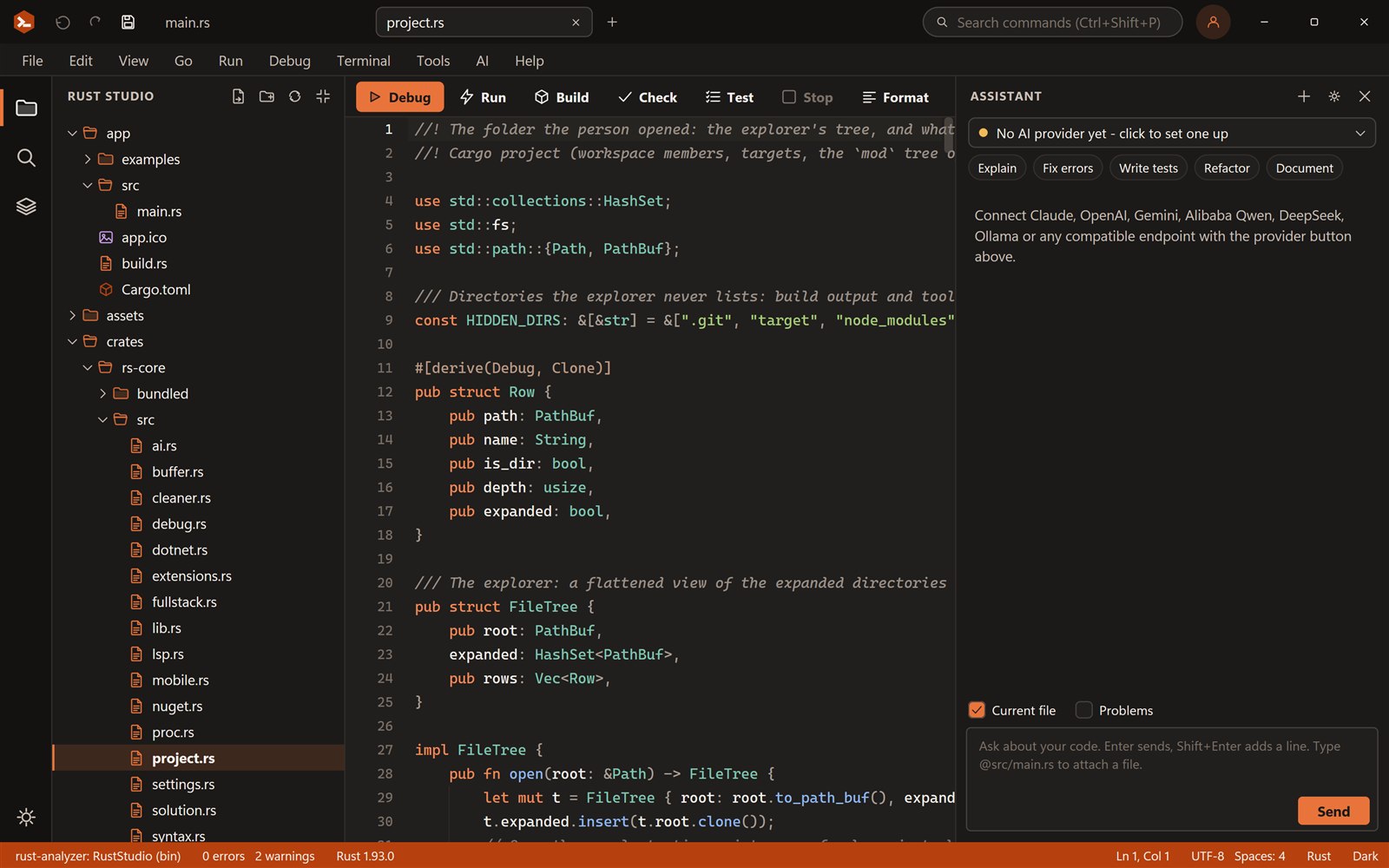
People often search for “Actix vs React” or “Rocket vs Vue”. They are not rivals: one runs on the server, the other in the browser, and they work together. Here is how each pairing fits, which database driver to use, and how Ruststudio sets one up for you.
Interactive
Full-stack stack builder
Choose a back end, a front end and a database. You get the exact steps in Ruststudio’s New Project wizard, the folders it creates and the commands to run. Combinations that are not a template say so.
A Ruststudio template
“Rust + React (Vite)”: an axum back end and a React front end in one project.
In the New Project wizard
- File > New Project (Ctrl+Shift+N).
- Category Web, template “Rust + React (Vite)”.
- Set the three option rows: Admin panel: Basic · Theme: Light · Database: RaftDB.
- Name the project and create it. Ruststudio writes both sides and runs npm install in web/ (this needs Node.js).
- Press F5. The back end and the front end dev server start, and the browser opens the website and the Swagger UI at /swagger-ui/.
- If RaftDB is not installed yet: Tools > Install RaftDB. Until the server answers, the app logs a warning and keeps its items in memory, so it still runs.
- The admin panel is one page at /admin, served by the back end, that lists, adds and deletes items through the API.
- The theme styles the admin panel and is written as web/public/theme.css for the React front end.
shop/
├─ Cargo.toml
├─ appsettings.json           plus .Development, .Staging and .Production
├─ README.md
├─ src/
│  ├─ main.rs  lib.rs  hosting.rs  dev.rs  config.rs  di.rs  logging.rs
│  ├─ services.rs             the items and the ItemRepository trait
│  ├─ api.rs                  the JSON API under /api, documented for Swagger
│  ├─ frontend.rs             serves the built site
│  ├─ admin.rs                the admin panel at /admin
│  └─ raftdb_items.rs         items in RaftDB, with the fall back to memory
├─ shop-tests/                API tests
├─ examples/package_hosting.rs
└─ web/                       the React front end
   ├─ package.json  vite.config.ts  index.html
   ├─ public/theme.css
└─ src/main.tsx App.tsxcargo run # back end + front end + Swagger UI (what F5 does)
cargo test --workspace # the tests
npm --prefix web install # front-end packages (the wizard already ran this)
npm --prefix web run dev # front end dev server alone, port 5173, /api proxied to Rust
npm --prefix web run build && cargo build --release --features embed # one executable with the website inside
cargo run --release --example package_hosting # a zip or tar.gz for hostingRust back end and front end pairings at a glance
| Axum + React, Vue, Svelte or Angular | Yes | JSON over /api; a dev proxy while you work; axum serves the built files | A template for each: Rust + React (Vite), Rust + Vue (Vite), Rust + Svelte (Vite), Rust + Angular |
|---|---|---|---|
| Actix Web + React, Vue, Svelte or Angular | Yes | The same pattern; the actix-files crate serves the built files | No template; add actix-web to a new project by hand |
| Rocket + Vue or React | Yes | The same pattern; Rocket’s FileServer serves the built files | No template; add rocket to a new project by hand |
| Leptos + Axum | Yes: Leptos is a Rust front end that can render on an axum server | Shared Rust types; WebAssembly in the browser | A Leptos web app template (client side) and an Axum web server template |
| Chakra UI + any Rust back end | Yes: Chakra UI is a React component library | It lives in the React front end and never talks to Rust directly | Create Rust + React, then npm install it in web/ |
| MariaDB or PostgreSQL + Actix or Axum | Yes | A database driver crate inside the Rust server | Tools > Database Connectors adds the driver and a runnable example |
| RaftDB + Axum | Yes | Its client crate, from the rupm registry | The default Database choice in the full-stack templates |
Actix vs React: do I have to choose?
No. Actix vs React (or React vs Actix) is not a choice, because they do different jobs. Actix Web is a Rust framework that runs on the server and answers HTTP requests. React is a JavaScript library that runs in the browser and draws the page. A typical app uses both: React calls fetch("/api/…"), Actix Web answers with JSON.
While you develop, the React dev server (Vite) proxies /api to the Rust server so that hot reload keeps working. For the release you build the front end to static files and let Actix Web serve them with the actix-files crate.
- Back end: Actix Web for routes, JSON, sessions and database access
- Front end: React for components and state in the browser
- Glue: a /api proxy in development, static files in production
import { defineConfig } from 'vite'
import react from '@vitejs/plugin-react'

export default defineConfig({
  plugins: [react()],
  // the Rust server's address; Actix Web examples usually listen on 8080
  server: { proxy: { '/api': 'http://127.0.0.1:8080' } },
})
Actix vs Svelte: using them together
Actix vs Svelte (or Svelte vs Actix) is the same misunderstanding with a different front end. Svelte compiles components to small JavaScript that runs in the browser; Actix Web is the server behind it. Build the Svelte app with Vite, proxy /api to Actix Web during development, and serve the built files from the Rust program.
If you use SvelteKit, choose its static adapter so the output is plain files that a Rust server can serve; server-side rendering in SvelteKit needs a Node.js process of its own.
Actix vs Vue
Vue vs Actix (or Actix vs Vue): Vue is the front end, Actix Web the back end. A Vue 3 app created with Vite talks to Actix Web over JSON exactly as React does, with the same /api proxy in the Vite config and the same static build for the release.
Actix vs Angular
Angular vs Actix: Angular is a full front-end framework with its own command-line tool; Actix Web is the Rust server. Angular’s dev server listens on port 4200 and reads a proxy.conf.json file that forwards /api to the Rust server. For the release, ng build writes static files that the server hands out.
{
  "/api": {
    "target": "http://127.0.0.1:8080",
    "secure": false
  }
}
Rocket vs Vue
Rocket vs Vue (or Vue vs Rocket): Rocket is a Rust web framework known for its macro-driven, strongly typed routes; Vue is a JavaScript front-end framework. They pair like the others: Rocket serves JSON under /api and, in production, the built Vue files through its FileServer.
- Rocket handles requests, validation and database access on the server
- Vue handles the interface in the browser
- Rocket’s examples listen on port 8000; point the Vite proxy there
Rocket vs Rust: is Rocket a language?
Rocket vs Rust is a framework against the language it is written in. Rust is the programming language; Rocket is one of several web frameworks for Rust, next to Axum and Actix Web. You write a Rocket application in Rust, so there is nothing to choose between.
Axum with React, Vue, Svelte or Angular
Axum is the back end of Ruststudio’s full-stack templates, so this pairing is one click. New Project, Web lists Rust + React (Vite), Rust + Vue (Vite), Rust + Svelte (Vite) and Rust + Angular. Each creates an axum server with settings per environment, a documented API with a Swagger UI, tests, and the front end in a web folder with the /api proxy already set.
Pressing F5 starts the back end and the front end dev server together and opens the site. A release task builds the front end and compiles it into the server, so you ship one executable.
- Admin panel: Basic adds a page at /admin, served by the back end, that lists, adds and deletes items
- Theme: Light, Dark, Ocean, Forest, Sunset or Slate
- Database: RaftDB, the free database included with Ruststudio, or In memory
Leptos vs Axum
Leptos vs Axum is a front-end framework against a back-end one, both in Rust. Leptos builds the interface in Rust and compiles it to WebAssembly; Axum is an HTTP server library. They are commonly used together: Leptos has an integration that renders pages on an axum server and then hydrates them in the browser.
- Choose Axum alone for an API, with any JavaScript front end
- Choose Leptos with Axum when you want Rust on both sides and shared types
- Ruststudio has a Leptos web app template and an Axum web server template
Chakra UI vs Actix
Chakra UI vs Actix compares a React component library with a Rust web server, so again they are layers, not rivals. Chakra UI gives a React app ready-made buttons, forms and layout; it is installed with npm in the front end. Actix Web, or Axum or Rocket, runs on the server and never sees it.
To use Chakra UI with a Rust back end, create the React front end first, add Chakra UI to it following Chakra’s own install guide, and call your Rust API with fetch. In Ruststudio that is the Rust + React template followed by an npm install in the web folder, from the Web packages view or the terminal.
MariaDB vs Actix: connecting a Rust server to a database
MariaDB vs Actix is a database and a web framework: you use them together through a driver crate. MariaDB speaks the MySQL protocol, so the MySQL drivers work: sqlx with its mysql feature, or mysql_async. For PostgreSQL the usual choices are sqlx or tokio-postgres, and for SQL Server the tiberius crate.
In Ruststudio, Tools > Database Connectors adds the driver with the right features and writes a runnable example that connects, for 18 databases. The full-stack templates store their items in RaftDB by default, the free database that is included with Ruststudio (Tools > Install RaftDB); if its server is not running, the generated app says so in its log and keeps the items in memory.
- MariaDB or MySQL: sqlx (mysql feature) or mysql_async
- PostgreSQL: sqlx (postgres feature) or tokio-postgres
- SQL Server: tiberius
- RaftDB: its client crate, chosen in the New Project wizard
Webpack vs Actix
Webpack vs Actix: Webpack is a bundler that turns front-end source into files a browser can load; Actix Web is the server that hands those files out. They meet in one place, the output folder: point the Rust server’s static-file route at the folder the bundler writes. Ruststudio’s templates use Vite for React, Vue and Svelte and the Angular CLI for Angular; a Webpack project works the same way.
What the Ruststudio full-stack templates create
Each full-stack template is a complete project: the axum server split into modules for hosting, configuration, services and the API, appsettings files for Development, Staging and Production, a test crate, a README and the front end. Solution tasks cover the routine commands, so you do not have to remember them.
- Run backend + front end + Swagger: cargo run
- Run tests: cargo test --workspace
- Front end dev server: npm run dev (npm start for Angular)
- Bundle release (one executable): the front-end build, then cargo build --release --features embed
- Package for hosting: a zip or tar.gz
Frequently asked questions
Something else? Ask in the community forum or send feedback.
Actix vs React: which one should I learn?
Both, if you want to build a whole web app, because they do different jobs. Actix Web is a Rust server framework; React is a JavaScript library for the browser. React calls the API that Actix Web provides.
Can I use Rocket with Vue?
Yes. Rocket serves a JSON API and, in production, the built Vue files; the Vue dev server proxies /api to Rocket while you develop. Rocket vs Vue is not a choice between rivals.
Can I use Actix with Svelte?
Yes. Build the Svelte front end with Vite, proxy /api to Actix Web in development, and serve the built files with the actix-files crate in production. With SvelteKit, use the static adapter.
Does Chakra UI work with Actix?
Yes, indirectly. Chakra UI is a React component library, so it is installed in the React front end; that front end then calls your Actix Web (or Axum, or Rocket) API over HTTP.
How do I connect Actix or Axum to MariaDB?
Use a MySQL-protocol driver, because MariaDB speaks that protocol: sqlx with the mysql feature, or mysql_async. Ruststudio’s Database Connectors add the crate and write a runnable example.
Leptos vs Axum: which do I need?
Axum is a back-end HTTP library; Leptos is a Rust front-end framework that compiles to WebAssembly and can render on an axum server. Use Axum alone for an API, or both for a full stack in Rust.
What are the Rust frontend frameworks?
Leptos, Yew and Dioxus build front ends in Rust, compiled to WebAssembly. Many teams instead keep React, Vue, Svelte or Angular in the browser and write only the back end in Rust.
Is there a full stack web framework for Rust?
Leptos and Dioxus offer full-stack modes in Rust. The more common full stack is a Rust back end such as Axum or Actix Web with a JavaScript front end. Ruststudio’s templates create that pairing, with axum, in one step.
Which Rust back end does Ruststudio use in its templates?
axum on tokio. The templates pair it with React, Vue, Svelte or Angular. Actix Web and Rocket projects work in the IDE too, but you add those crates yourself; there is no template for them.
What is RaftDB?
RaftDB is the free database included with Ruststudio. Install it from Tools > Install RaftDB; the full-stack templates can store their items in it, and fall back to memory when its server is not running.
Do I need Node.js for a Rust back end with a JavaScript front end?
Only to develop and build the front end. The finished program can be one Rust executable with the built website inside, and needs no Node.js on the server.