What a Rust IDE needs, and what Ruststudio provides
A Rust IDE (integrated development environment) is a program that edits, builds, runs, tests and debugs Rust code in one place, using rust-analyzer for code intelligence and Cargo for builds. Ruststudio is a free, native Rust IDE for Windows, macOS and Linux, written in Rust by FOWLGUARD, Inc.
Updated · describes Ruststudio 0.1.5
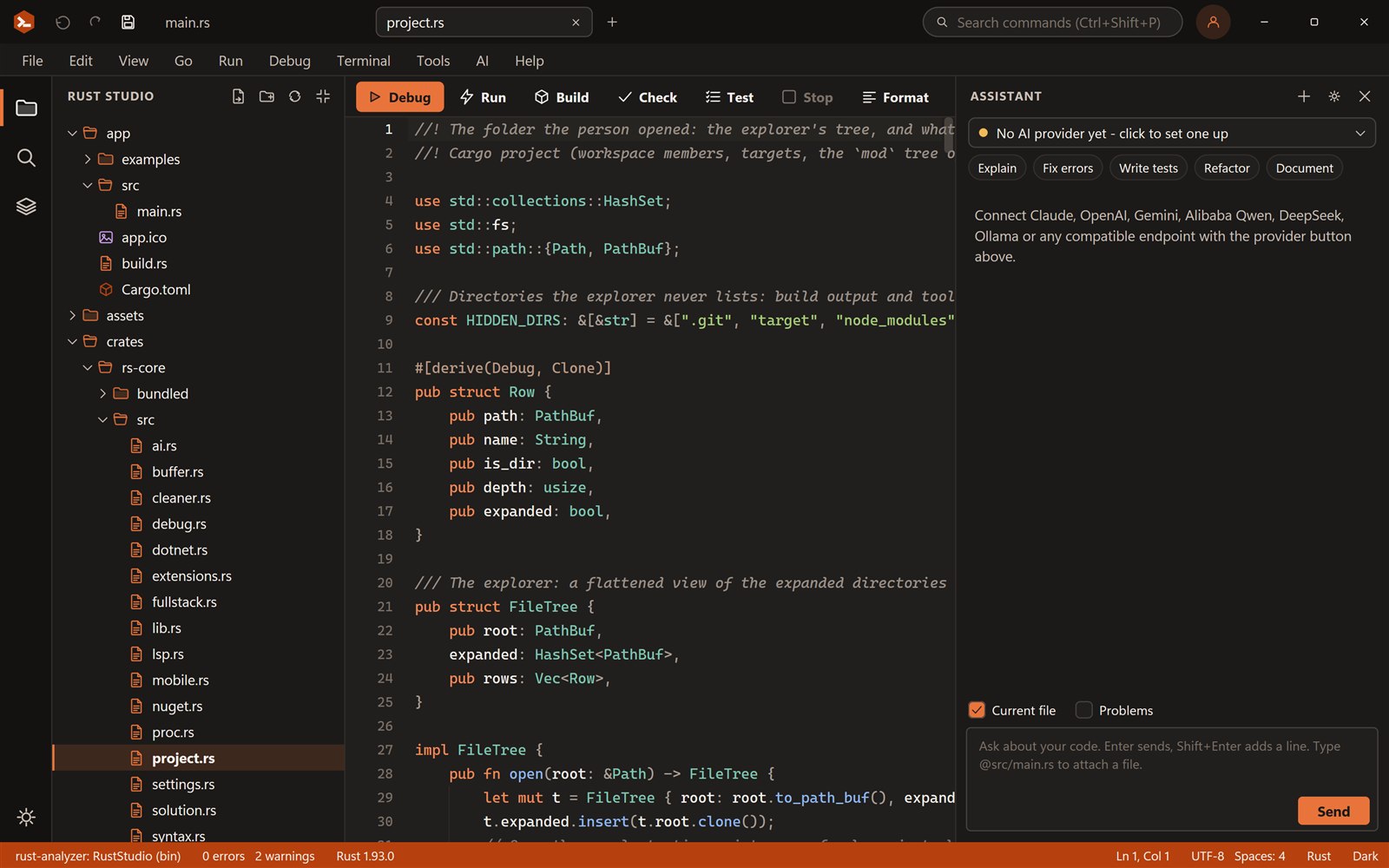
A Rust IDE is more than an editor with highlighting. Here is each part a Rust developer uses every day, and how Ruststudio covers it.
What does a Rust IDE need?
| Part | What it is for | In Ruststudio |
|---|---|---|
| Code intelligence | Completion, errors as you type, types on hover, go to definition, format | rust-analyzer, built in; the status bar says when it is ready |
| Cargo | Run, build, check, test, clippy, doc, format | The Run menu and toolbar; errors in the Problems panel open the line |
| Debugger | Stop at a line and inspect the program | lldb-dap: breakpoints, stepping, threads, watches, Immediate window, inline values |
| Testing | Run and debug single tests, see what failed | A test explorer with run and debug icons beside each test |
| Workspaces | Several crates that build together | Solutions (.rssln) with a generated workspace Cargo.toml |
| Toolchains | stable, nightly, a pinned version | The system Rust, any rustup toolchain or a folder, globally or per solution |
| Packages | Crates, native libraries, front-end packages | rupm and crates.io, NuGet, npm, pnpm, yarn and bun |
| Source control | Status, diff, stage, commit, branches, push, pull | A Git view on your own git: diffs, change marks in the editor, blame, merge-conflict helpers |
| Terminal | A shell next to the code | A real terminal in the bottom panel |
| Templates | A working project to start from | Web, desktop, Android, library, CLI and samples |
| AI help | Explain, fix, test, refactor | Your provider and key, or a local model; Apply to accept |
| Disk space | target folders that grow large | Cargo Cleaner and optional automatic cleaning |
Why a native IDE for Rust
Ruststudio is a native program written in Rust, with its own small UI toolkit drawing the window. It does not run inside a browser engine, so it starts quickly and stays light: about 10 MB on disk. Builds run in the background at a lower priority, so the desktop stays responsive while cargo compiles.
Being written in Rust also keeps the project honest: the IDE is a large Rust desktop program, built with the same toolchain it supports.
- Windows build draws with Direct2D; macOS and Linux with a software renderer
- Installs per user, without administrator rights
- Settings and AI keys stay in your user profile
What Ruststudio does not do (yet)
Git covers the daily work (stage, commit, branches, push, pull); stash, tags and interactive rebase are done in the terminal. iOS builds need a Mac with Xcode. The Immediate window evaluates variables and lldb commands, not arbitrary expressions. The macOS version is a first version: see its page for what is missing there.
Frequently asked questions
Something else? Ask in the community forum or send feedback.
What is the best IDE for Rust?
It depends on how you work. Ruststudio is a free IDE made only for Rust, with rust-analyzer, a debugger, solutions, templates and package views built in. Try the browser demos, or install it and use it free for 7 days before you sign up.
Does Ruststudio use rust-analyzer?
Yes. rust-analyzer gives the editor its completion, errors, hover and go to definition. If it is missing, rustup component add rust-analyzer installs it.
Do I need to install Rust separately?
Ruststudio uses the Rust toolchain on your machine. On Windows the installer can run rustup for you; on macOS and Linux install Rust with rustup first.
Is Ruststudio free?
Yes. Ruststudio is free for personal and commercial use, with no licence key and nothing to pay. Use it for 7 days straight away; after that you sign up for a free account with your e-mail address. It is closed-source freeware.
Who makes Ruststudio?
Ruststudio is a product of FOWLGUARD, Inc., the company behind Fowlguard Secure and Fowlguard Productivity. It is one of its free tools; see fowlguard.com.
Which systems does Ruststudio run on?
Windows 10 and 11 (64-bit), macOS 11 or later (Apple silicon and Intel) and Linux (x86-64, X11 or Wayland). You can build for the desktop, the web and Android from it. Native iOS support is in development and will need a Mac with Xcode.