Find
Every target folder
Scans your open project and any folders you add, up to six levels deep, skipping node_modules and version-control folders.
Every Rust project leaves a target folder that can grow past ten gigabytes, and cargo keeps every crate you ever downloaded. Find them all, see what is stale, and clear it safely.
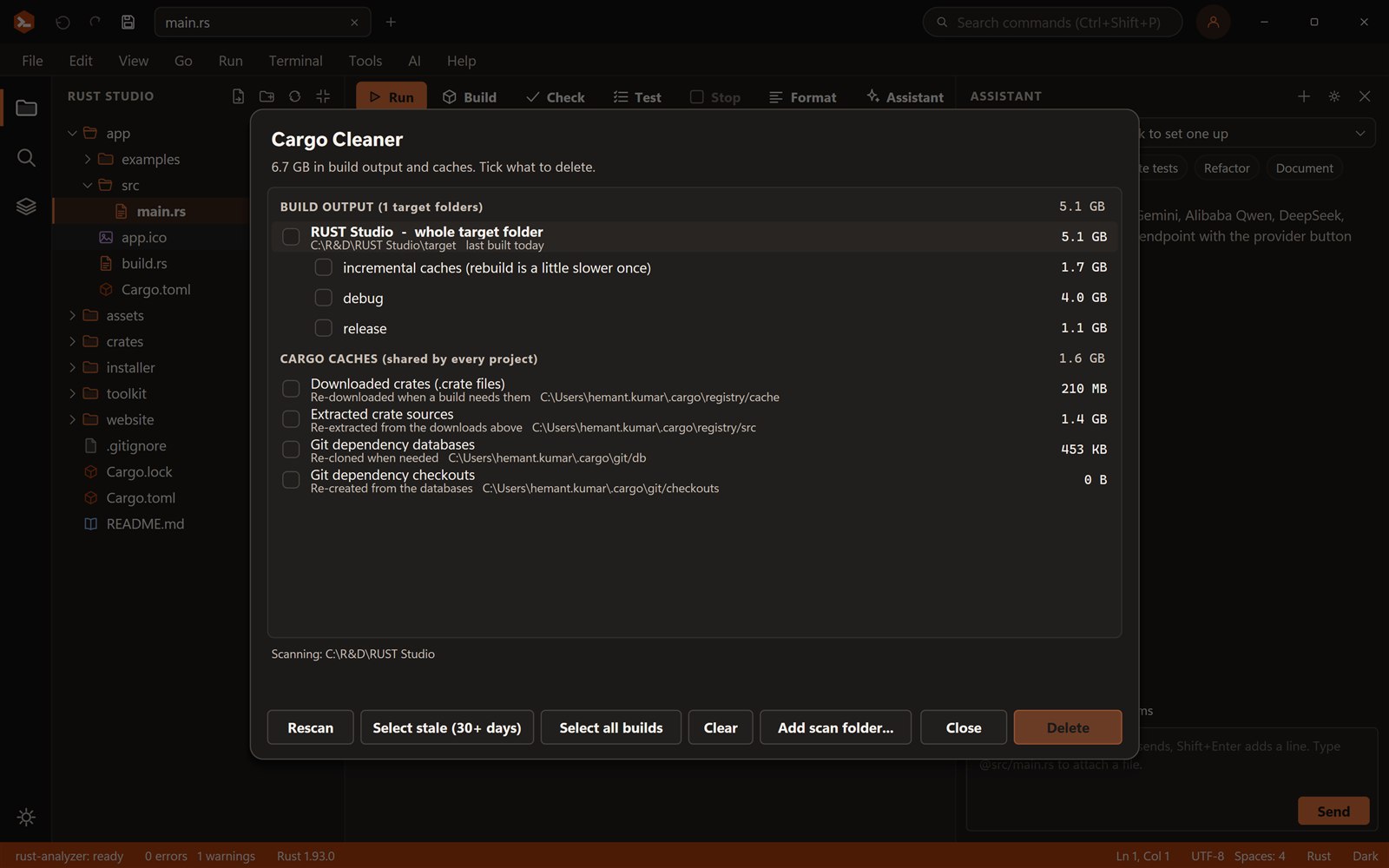
See every target folder and cache with its size and age, select the stale ones, and clean.
26.9 GB in 7 cargo folders
Try it: Select stale, look at what is chosen, clean, or tick the “not a cargo folder” row to see the safety check.
Find
Scans your open project and any folders you add, up to six levels deep, skipping node_modules and version-control folders.
See
Each target shows when it was last built, and its debug, release and incremental parts, so you can drop only the biggest.
Caches
Lists the registry cache, extracted sources and git checkouts. All of them are fetched again when needed.
Safe
It refuses to delete anything that is not a cargo target (with cargo's own tag file and a Cargo.toml beside it) or one of cargo's cache folders.
Select
Select stale picks every target not built for 30 days. You confirm before anything is deleted.
Cargo keeps a separate build for every profile and every dependency version, plus incremental caches that make the next build faster. On a busy machine with a dozen projects that adds up to tens of gigabytes, and cargo clean only helps one project at a time.
The Cargo Cleaner shows all of them in one list, largest first, with the project name and last-built date, so you can see at a glance which old experiments are costing you space.
Press Ctrl+Shift+L, or click the target size in the status bar. The status bar shows the size of the open solution's target folder after every build, so you notice growth before it becomes a problem.
No. It can only delete cargo target folders (and folders inside them) and cargo's download caches. Your source stays untouched, and you confirm each deletion.
The next build is slower once, because cargo rebuilds what was removed. Cargo caches are downloaded again when a build needs them.
Yes. Add any folder as a scan folder and it finds every cargo target under it.
Yes. Rust Studio is free for personal and commercial use, with no account, trial or licence key. It is closed-source freeware.
Windows 10 and 11 (64-bit). You can build for Windows, the web and Android from it. iOS builds need a Mac with Xcode.
Rust Studio is a free, native Rust IDE for Windows: rust-analyzer, solutions with many projects, full-stack web templ…
Build Windows desktop apps in Rust with Tauri, Slint or egui. Rust Studio gives you project templates, solutions, a o…
Build full-stack Rust web apps in Rust Studio: an axum backend with a React, Vue, Svelte or Angular front end, a dev…
Download Rust Studio, the free Rust IDE for Windows 10 and 11. Per-user install, no administrator rights, no account,…