Editor
rust-analyzer built in
Completion, hover, go to definition, live errors and format, with tabs, find, quick open and a command palette.
Free Rust IDE for Windows
A free, native IDE written in Rust. Organise projects in solutions, build full-stack web apps, native Android apps and Windows desktop apps, use the AI of your choice, and get your disk back from cargo.
Windows 10 and 11 · per-user install · no account · no telemetry
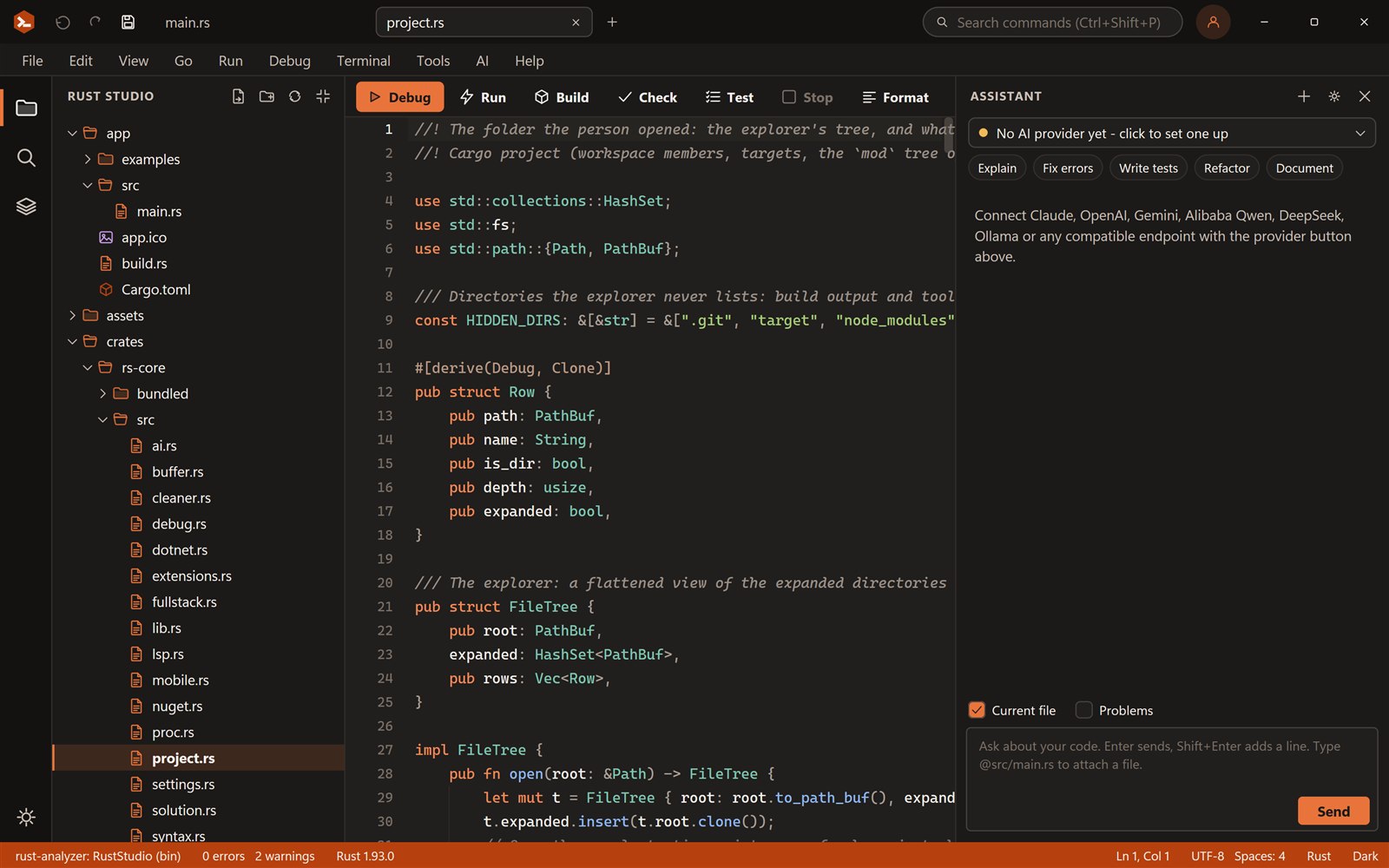
Highlighting, completions after a dot, problems with quick fixes, format, and run, build, check and test.
E0308 [15:24]unused_variables [15:9]Try it: edit the code, type counts. or words. for completions, fix the red error with Quick fix, then press Run.
Editor
Completion, hover, go to definition, live errors and format, with tabs, find, quick open and a command palette.
Solutions
A .rssln solution holds apps and libraries, a startup project, Debug and Release, run arguments and tasks. Run starts the startup project; Build covers everything.
Web
axum with React, Vue, Svelte or Angular in one click, a dev proxy, and a release that is a single executable.
Learn more →Mobile
Slint and egui templates that draw their own pixels, run on the desktop first, and are set up for Android.
Learn more →Desktop
Tauri, Slint and egui starters, plus extensions to add your own toolkit templates.
Learn more →AI
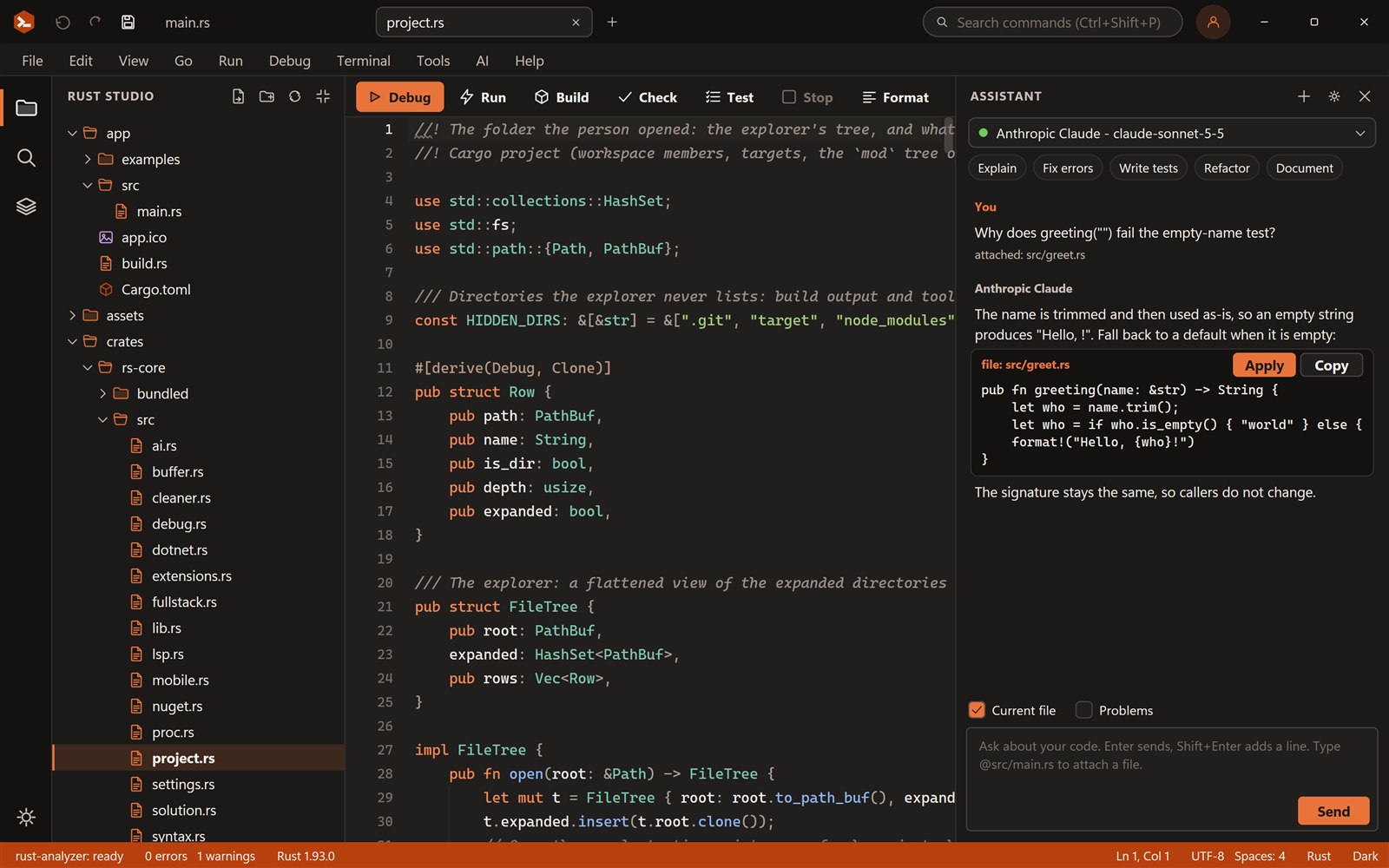
Claude, OpenAI, Gemini, Qwen, DeepSeek, Mistral, Groq, xAI, OpenRouter, Ollama and more. Suggestions reach your files only when you press Apply.
Learn more →Disk space
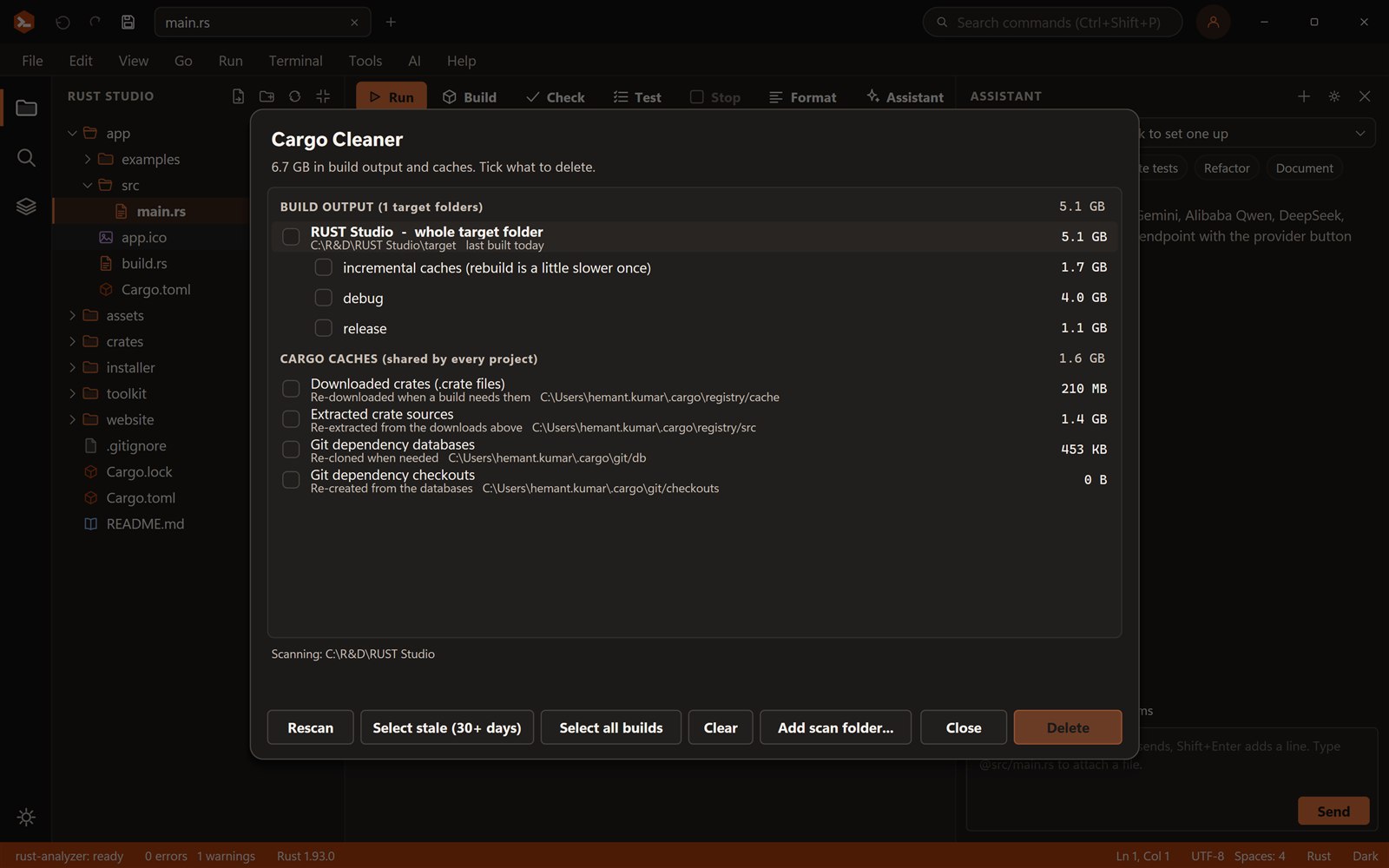
Find every target folder and cargo cache, see sizes and age, and delete only what you tick.
Learn more →Debugger
Set breakpoints with F9, start with F5, step over with F10, into with F11 and out with Shift+F11, with a call stack, variables, watches and values on hover.
Learn more →Databases
PostgreSQL, MySQL, SQLite, SQL Server, Oracle, MongoDB, Redis, Cassandra, ClickHouse and more: pick a Rust driver, and it is added with a runnable example.
Learn more →.NET
Pack a Rust library as a NuGet package with a generated C# wrapper, and use NuGet native packages from Rust.
Learn more →Toolchains
The system Rust, every rustup toolchain or any folder you add, globally or per solution.
Rust Studio is built for people who write Rust every day. It starts instantly because it is a native program, not a browser in disguise, and it keeps the things Rust developers actually do close at hand: run, build, check, test, format, clippy, and a terminal.
New Project creates a solution folder with your project inside it. Add more projects later: a library for shared logic, an application, a web front end, a mobile app. They all live in one solution file that you can open with a double-click.
The Project Structure view shows crates, targets and the module tree. Missing module files are flagged and one click creates them, and typing mod suggests files you have not declared yet. When builds fill your disk, the Cargo Cleaner shows what is using the space and which projects you have not touched for a month.
Yes. Rust Studio is free for personal and commercial use, with no account, trial or licence key. It is closed-source freeware.
Windows 10 and 11 (64-bit). You can build for Windows, the web and Android from it. iOS builds need a Mac with Xcode.
No. It is closed-source freeware. It is built from open-source Rust libraries, whose licences are listed in the third-party notices.
No telemetry. It connects to the internet only when you use a feature that needs it: your chosen AI provider, nuget.org, and the downloads cargo and npm make.
Build full-stack Rust web apps in Rust Studio: an axum backend with a React, Vue, Svelte or Angular front end, a dev…
Write native Android apps in Rust with Slint or egui, no web view. Rust Studio gives you templates, an Android setup…
Build Windows desktop apps in Rust with Tauri, Slint or egui. Rust Studio gives you project templates, solutions, a o…
Download Rust Studio, the free Rust IDE for Windows 10 and 11. Per-user install, no administrator rights, no account,…